Skip to content

Free plan · no card required

Ticket automation for SMM panels

Reads every ticket, analyzes each request, briefs your provider, answers the customer and tracks the result.

For Perfect Panel API v2 panels: forwards tickets to the provider's Telegram or WhatsApp group, answers customers in their language.

Example tickets · real reply templates, made-up order numbers.

  • Four-step setup

    Panel, bot, providers, snippet.

  • No card needed

    Top up your wallet with crypto.

  • Replies in 18 languages

    Language detection costs nothing extra.

  • Your keys are stored encrypted

    Never sent to your browser.

Free plan50 AI + 200 rule-based parses a month

Every new panel starts on Free. Upgrade one panel at a time when you need more.

See plans
Telegram · WhatsApp

Provider groups, through your own bot

Requests reach the groups you share with providers through your own Telegram bot or WhatsApp account.

How it works
Requests

Four request types, one consistent flow

Order ownership and status are checked first, then Senyo acts. The provider always gets the same short message: their order number and the action.

Direct refund when the order failed

Cancel

If the order is pending or in progress, the request goes to the provider group. If it already failed upstream, Senyo first tries a direct cancel and refund through your panel's API.

  • Completed, partial or cancelled orders get an information reply only.
  • The order is re-checked every 2 minutes, backing off to at most 60 minutes.
  • The customer gets one follow-up reply when the order reaches a final state.
Example
To the provider group
9902816 cancel
To the customer
Order 51734: your cancellation request was received. You will be notified once it is processed.
Speed

Forwarded while the order is still running. If the customer writes “speed it up or cancel”, the safer option, speed-up, wins.

To provider: ‹id› speed

Re-checked every 5 minutes, follow-up on completion

Refill

Forwarded for completed or partial orders. Services named “No Refill” or “NR” are refused with the reason.

To provider: ‹id› refill

Forwarded · once per order every 24 hours

Fake comp

Orders marked complete but not delivered are reported to the provider, and the customer is told the complaint was received.

To provider: ‹id› fake_comp

Forwarded · no status tracking

Guard rails

  • No action on another customer's order.
  • Duplicate and conflicting requests are rejected.
  • Tickets whose last message is over 7 days old get no reply.
  • Unclear tickets get no reply and stay with your team.
Setup

How it works: a four-step setup

You need a panel compatible with the Perfect Panel API v2, its admin API key and access to edit the panel's HTML. Every wizard step can be skipped and finished later.

  1. Step 1: Connect your panel

    Enter your panel URL and admin API key. The connection is checked immediately, and your key is stored encrypted.

  2. Step 2: Add your Telegram bot

    Paste the token of your own bot, created with @BotFather. Or link a WhatsApp account by QR code instead.

  3. Step 3: Map your providers

    Providers are discovered from your recent orders. Bind each one to the Telegram or WhatsApp group you share with it.

  4. Step 4: Paste the snippet

    Add one line of code to your panel's HTML. New tickets are picked up in about 15 seconds; a sweep every minute catches anything missed.

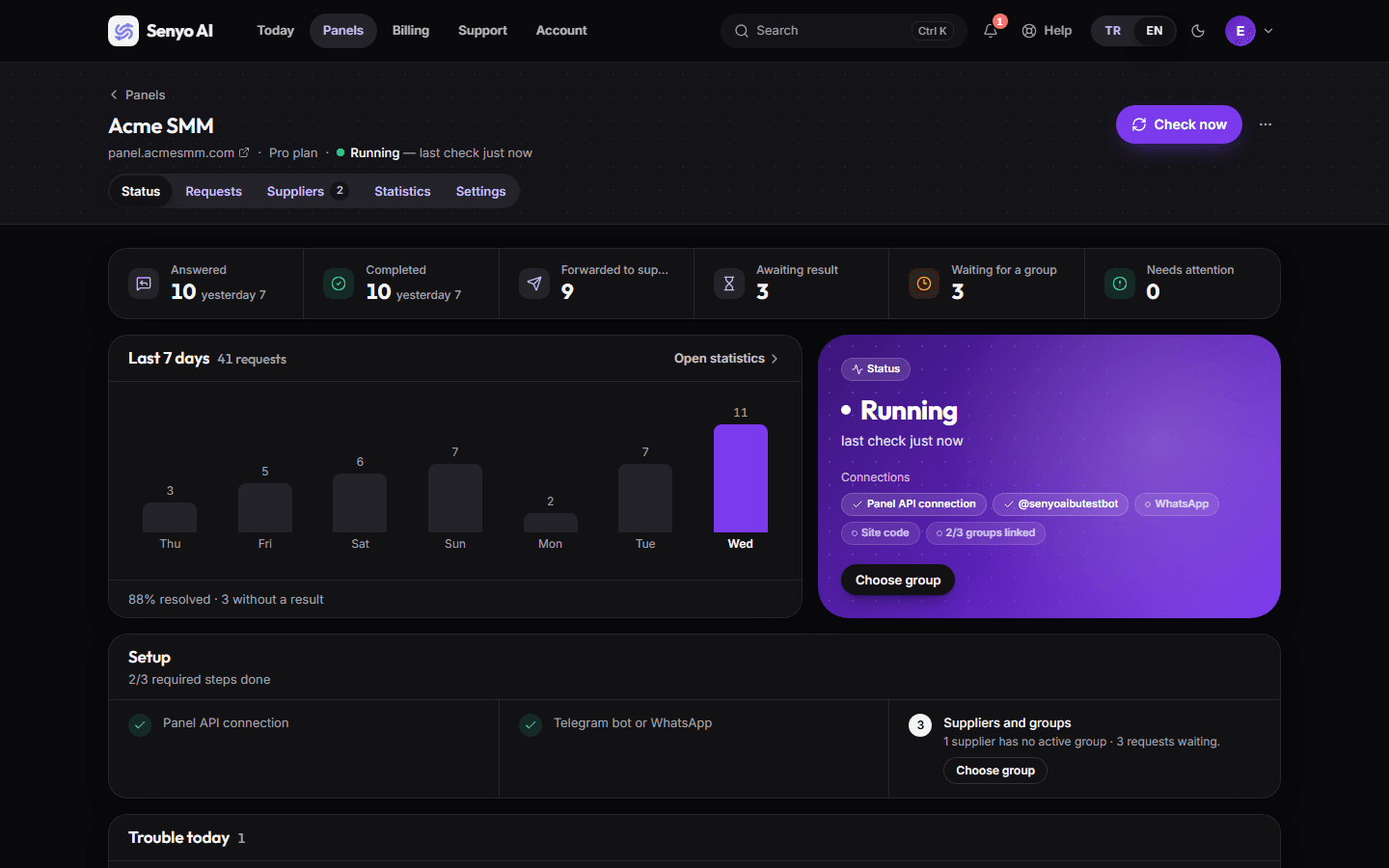
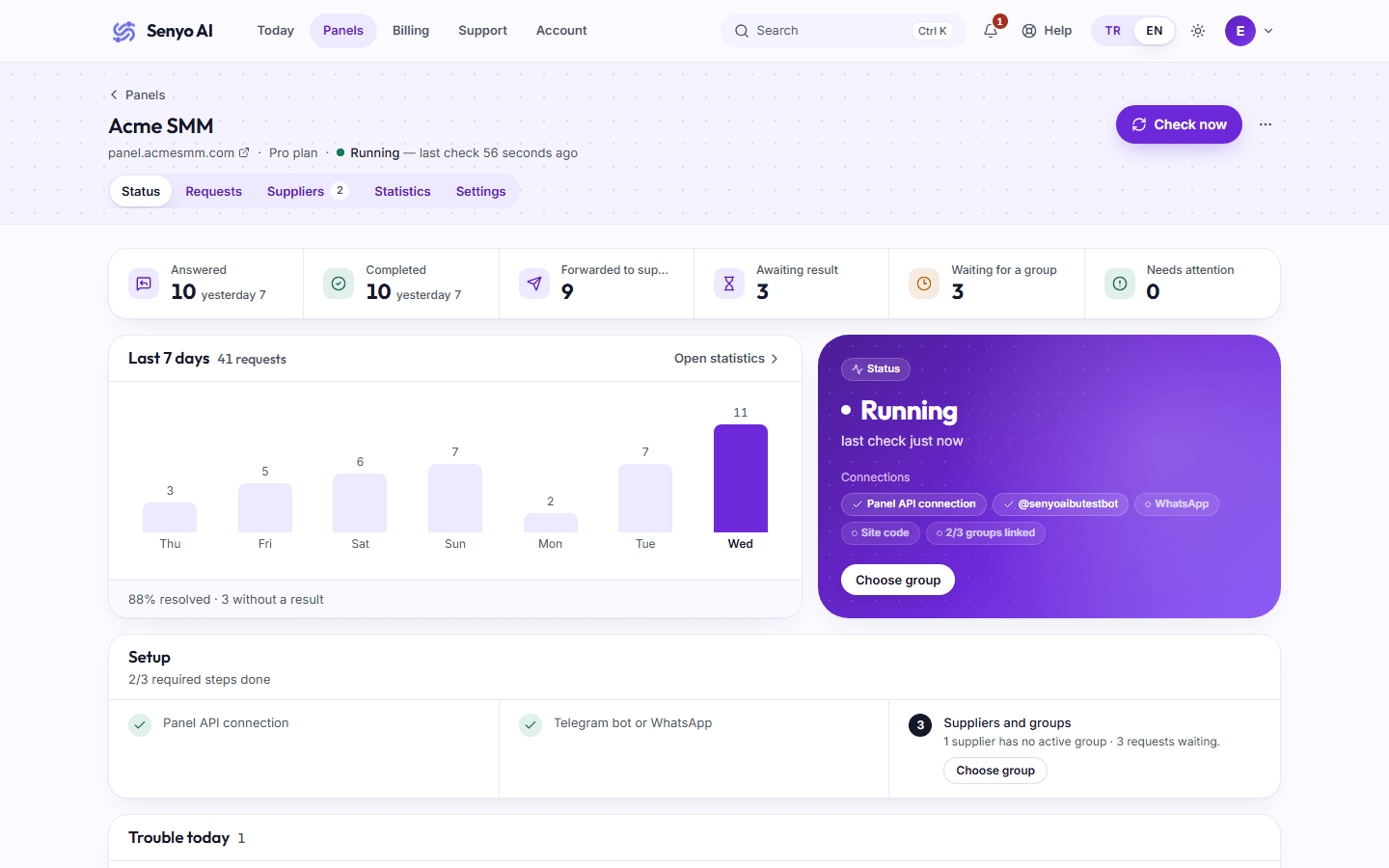
Panel detail screen: a connected panel with buttons to re-check the connection and scan for providers, and queued, sent, resolved and failed counts per provider
Panel detail: requests for a provider without a group wait in the queue and go out once a group is bound.
Why us

Why Senyo AI?

It turns the work your support team repeats every day into rules, and leaves alone any ticket it is not sure about.

~15 s

New tickets are picked up in about 15 seconds

The snippet in your panel pings Senyo when a ticket is created. Without it, the sweep that runs every minute still picks the ticket up within about a minute.

  • Snippet + one-minute sweep
  • No message is answered twice

Order ownership checked

Nothing happens unless the order belongs to the customer who opened the ticket.

Automatic, around the clock

Scheduled jobs run continuously and sweep for new messages and missed tickets every minute.

Local AI model

AI mode runs on a local Ollama model; ticket text is not sent to a third-party AI API.

Rule-based mode, on Free too

The default mode tolerates typos and understands Turkish and English keywords.

reply languages
18
request types
4
to pick up a ticket with the snippet
~15 s
order re-check interval
2–5 min
Dashboard

Everything in one dashboard

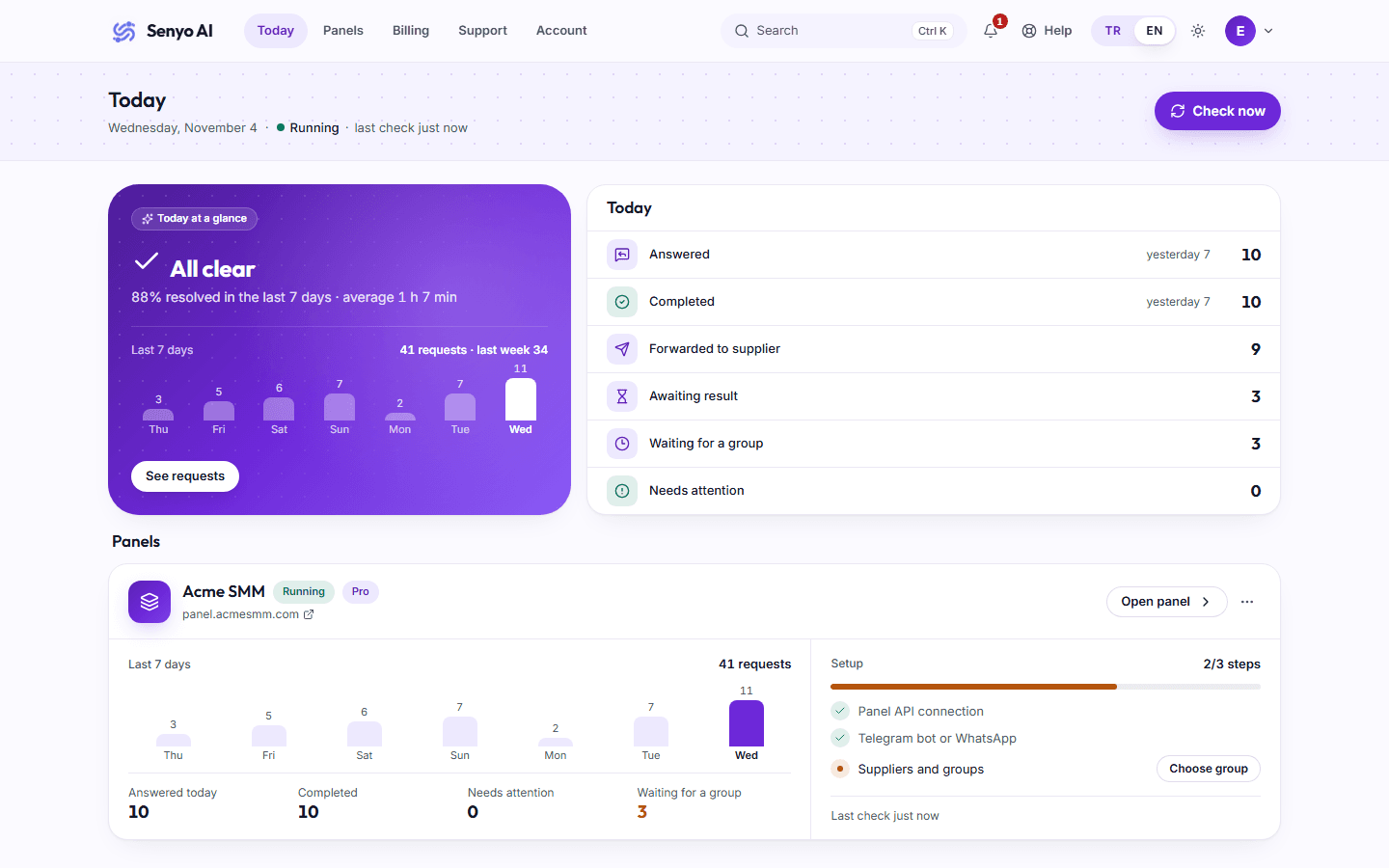
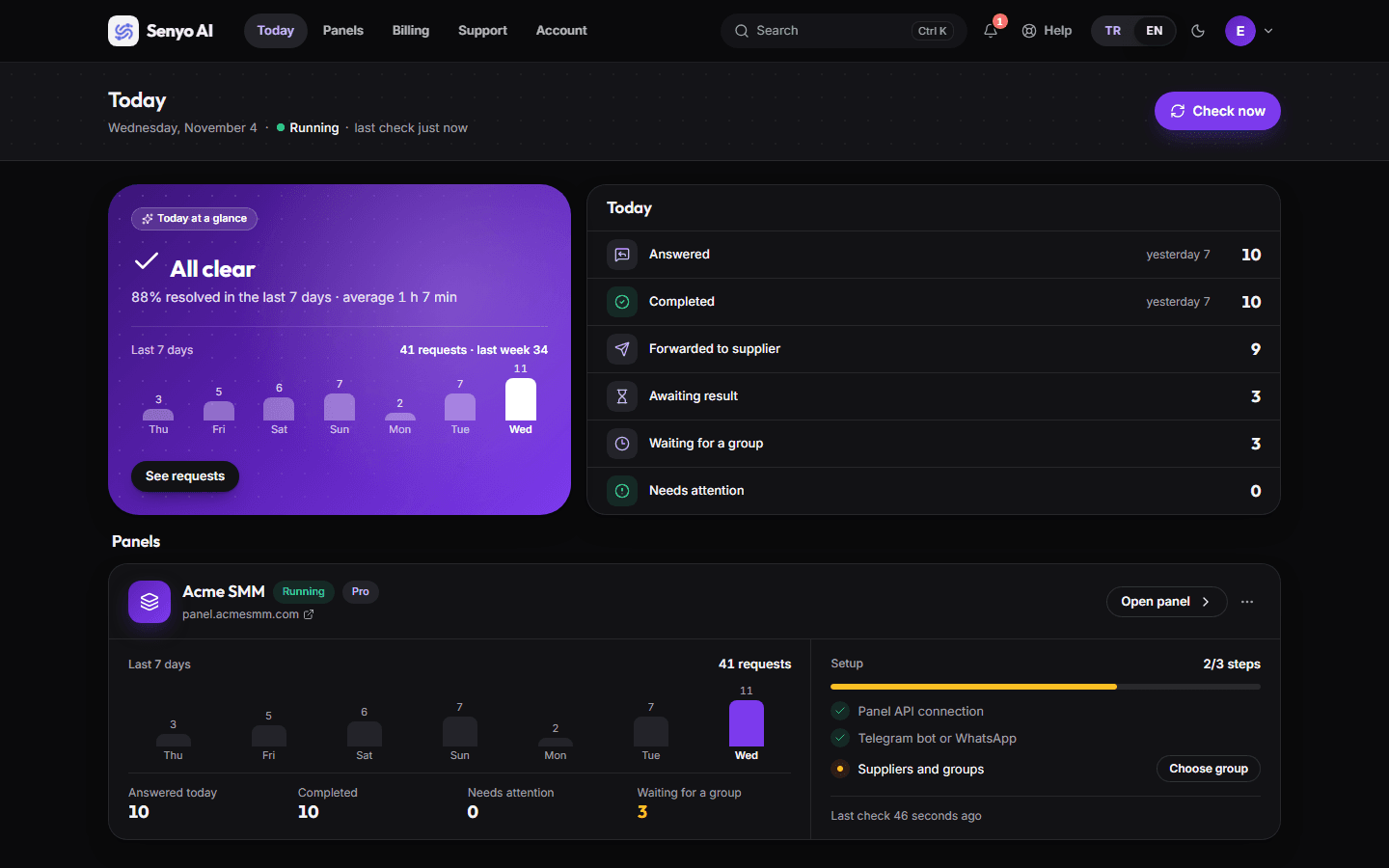
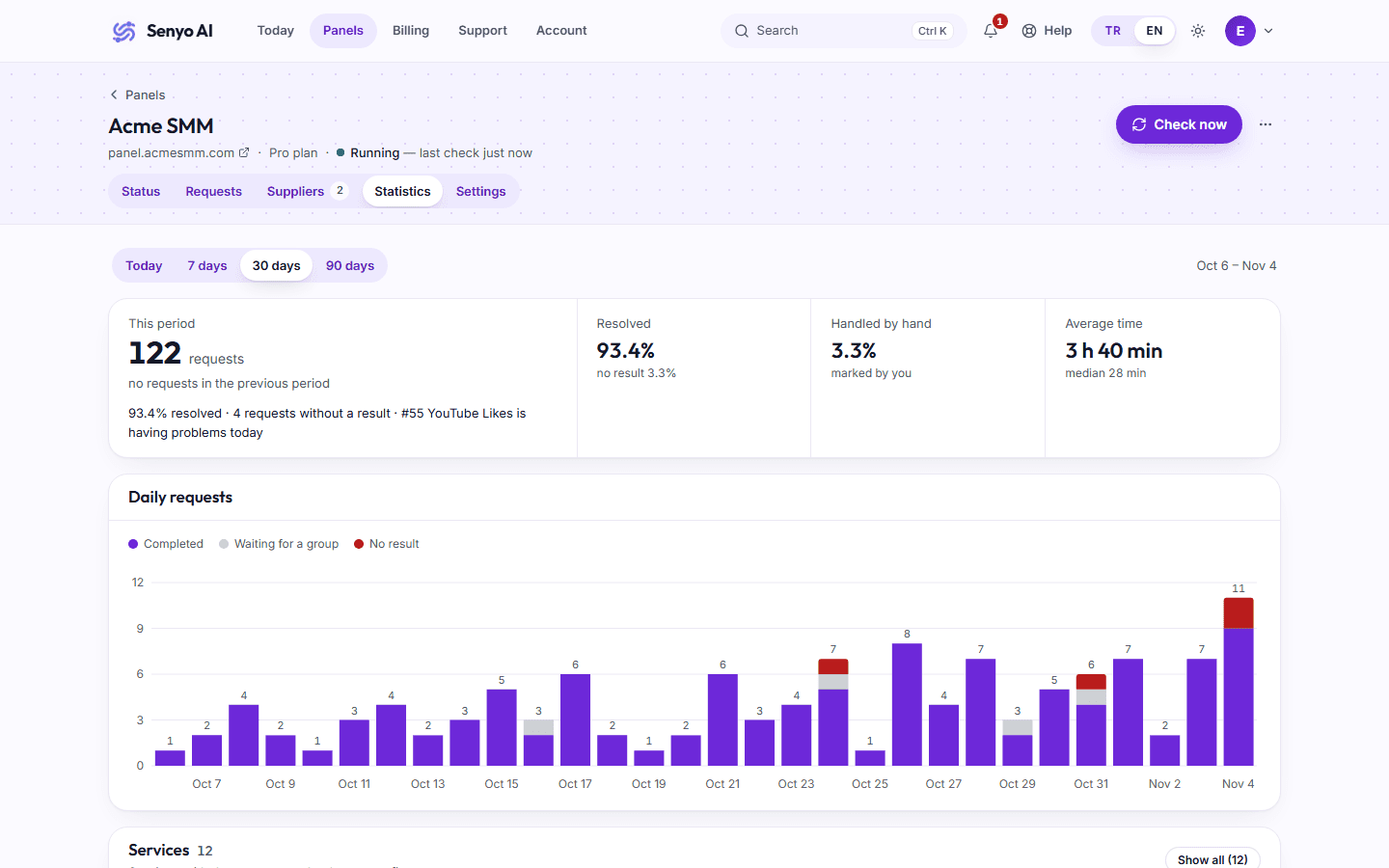
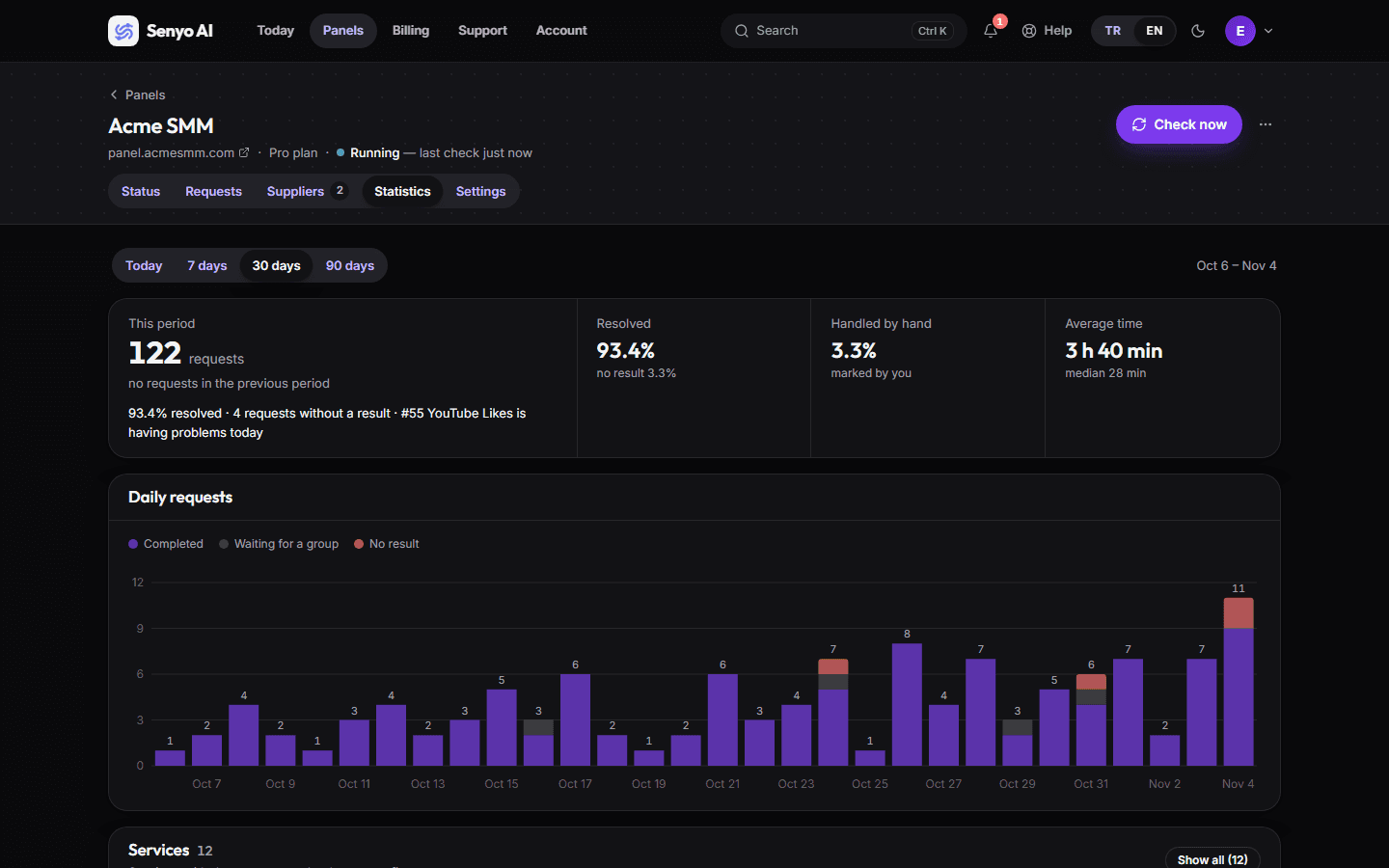
Real screens from the app, in light and dark themes.

Statistics screen: a time series of cancel, fake-completion, refill and speed-up requests
  • Overview

    Panels, wallet balance, recent wallet activity and notifications on one screen.

  • Statistics

    Daily, weekly, monthly and yearly views, split by request type.

  • Provider status

    Queued, sent, resolved and failed counts for each provider.

Security

How we protect your panel key, in plain words

We store details that give access to your panel, so we look after them carefully.

  • Your key is stored encrypted

    Your panel key is stored encrypted and is never sent to your browser.

  • Two-step verification

    You can turn on two-step verification for your account.

  • No third-party AI

    Ticket text is never sent to third-party AI services.

  • Protection against break-ins

    Your account is protected against unauthorised access attempts.

  • We never ask for your password

    We never ask for your password; only your panel API key is needed.

  • Every admin action is logged

    Every action taken by an administrator is recorded.

Frequently asked questions

Short answers on setup, payments and data security. Can't find what you need? Write to us.

Contact support

Which SMM panels does it work with?

Panels compatible with the Perfect Panel API v2. You need the panel's admin API key and access to edit the panel's HTML to add the snippet.

Do I need my own Telegram bot?

Yes. Create a bot with @BotFather, paste its token and add the bot to the groups you share with providers. The token is stored encrypted.

Does it work with WhatsApp?

Yes. Link a WhatsApp account by QR code and bind providers to WhatsApp groups. The link uses an unofficial WhatsApp Web library and is added after the initial setup.

Which languages does it reply in?

Panel tickets get replies in 18 languages, including Turkish, English, Russian and Arabic; language detection does not use AI and costs nothing extra. Replies in Telegram and WhatsApp support groups are in English.

What happens when a request is unclear?

No reply is sent and the ticket stays pending in your panel, so your team can answer it as usual.

How do AI mode and rule-based mode differ?

The default rule-based mode uses typo-tolerant keyword matching. AI mode is enabled per panel, handles free-form messages better and runs on a local Ollama model; ticket text is not sent to a third-party AI API.

What counts towards the quota?

Every analysed message counts as one parse, even when no action results. On paid plans, parses beyond the quota are charged to the wallet at the plan's overage price; the free plan has no overage, and new tickets go unanswered once its quota runs out until the period ends.

How do I pay?

Crypto only. Top up your wallet through Cryptomus or Heleket with $1 to $10,000 per top-up; there is no card payment option.

Can I downgrade or cancel?

Yes. Downgrades and cancellations apply at the end of the current period, and your plan keeps working until then. Upgrades apply immediately with pro-rated credit for unused days.

How is my data protected?

Your panel API key and bot details are stored encrypted, and your API key is never sent to your browser. We never ask for your password, you can turn on two-step verification, and ticket text is never sent to third-party AI services.

Support ticket automation for SMM panels

Senyo AI is a service by Senyo Labs that handles support tickets for SMM panel owners. Here is what it does and how it is billed.

What does Senyo AI do?

It reads the support tickets on your panel and works out whether the customer wants a cancel, a speed-up, a refill or reports a fake completion, and which orders they mean. After checking that the order belongs to that customer and that its status allows the action, it forwards the request to the provider and replies to the customer with a fixed template.

Which panels are supported?

SMM panels compatible with the Perfect Panel API v2. You need the panel's admin API key and access to edit the panel's HTML to add the snippet.

Telegram and WhatsApp provider groups

Requests reach the Telegram groups you share with providers through your own bot, created with @BotFather. You can also link a WhatsApp account by QR code and use WhatsApp groups. Requests for a provider without a group wait in a queue.

Customer replies in 18 languages

Panel tickets are answered in 18 languages, including Turkish, English, Russian and Arabic; the language is detected without AI. For cancel and speed-up requests, the order is re-checked every 2–5 minutes and the outcome is posted to the customer.

Security and data privacy

Your panel API keys, bot details and WhatsApp sessions are stored encrypted. AI mode runs on a local model, so ticket text is not sent to a third-party AI service.

Pricing and payment

Plans are per panel, and every panel starts on Free. Paid plans and overage are paid from a wallet you top up with crypto through Cryptomus or Heleket; there is no card payment.

Start on the free plan

Connect your first panel. Setup takes four steps, and you can finish any of them later.

  • 50 AI and 200 rule-based parses per panel a month
  • No card needed; paid plans are paid in crypto
  • Your own Telegram bot or WhatsApp account